Accessible Audio and Video Content
Policy
The ASC Digital Accessibility team is committed to supporting all faculty in the College of Arts and Sciences with creating captions for instructional videos that currently lack this essential accessibility feature. It is important to note that instructors maintain full responsibility for editing and reviewing all generated captions to ensure accuracy and quality before using them in their courses.
To manage resources effectively, if there are many hours of captioning needed that are beyond what the accessibility team can provide, then individual units will need to arrange their own video captioning services through university-approved vendors.
Video Accessibility
Adding closed captions to YouTube and Mediasite videos
Caption Resources for Accessible Media
Making your media accessible is an essential part of inclusive education. These resources will help you create proper captions for your content:
- YouTube Captioning Guide - A guide on how to create and edit captions for YouTube videos, including best practices for educational content.
- Section 508 Captioning Guidelines - Federal guidelines for creating effective captions and transcripts, including caption timing, accuracy standards, and best practices to ensure your media meets accessibility requirements.
Making automatic captions with OneDrive
Audio Accessibility
Transcripts
Audio and Video transcript are full text versions of all content in the media including speech and other important audio and visual information.
Accessible Transcripts
For a transcript to be accessible, it must:
- Identify all the speakers in the media
- Indication of who is speaking and when speakers change
- Have precise spelling and punctuation
- Describe when important contextual events occur
- Example: a description of a crowd clapping would look like "[crowd applauds]".
- Example: a description of a crowd clapping would look like "[crowd applauds]".
What media requires transcripts?
The only media that require transcripts are:
- Audio-only content (like podcasts)
- Videos with important information that isn't spoken AND an audio description is unavailable
Transcripts aren't necessary for videos where all information is conveyed by spoken language, though we encourage providing them if you'd like to.
However, all videos require captions to meet Ohio State's accessibility policy.
Adding transcripts to a web page
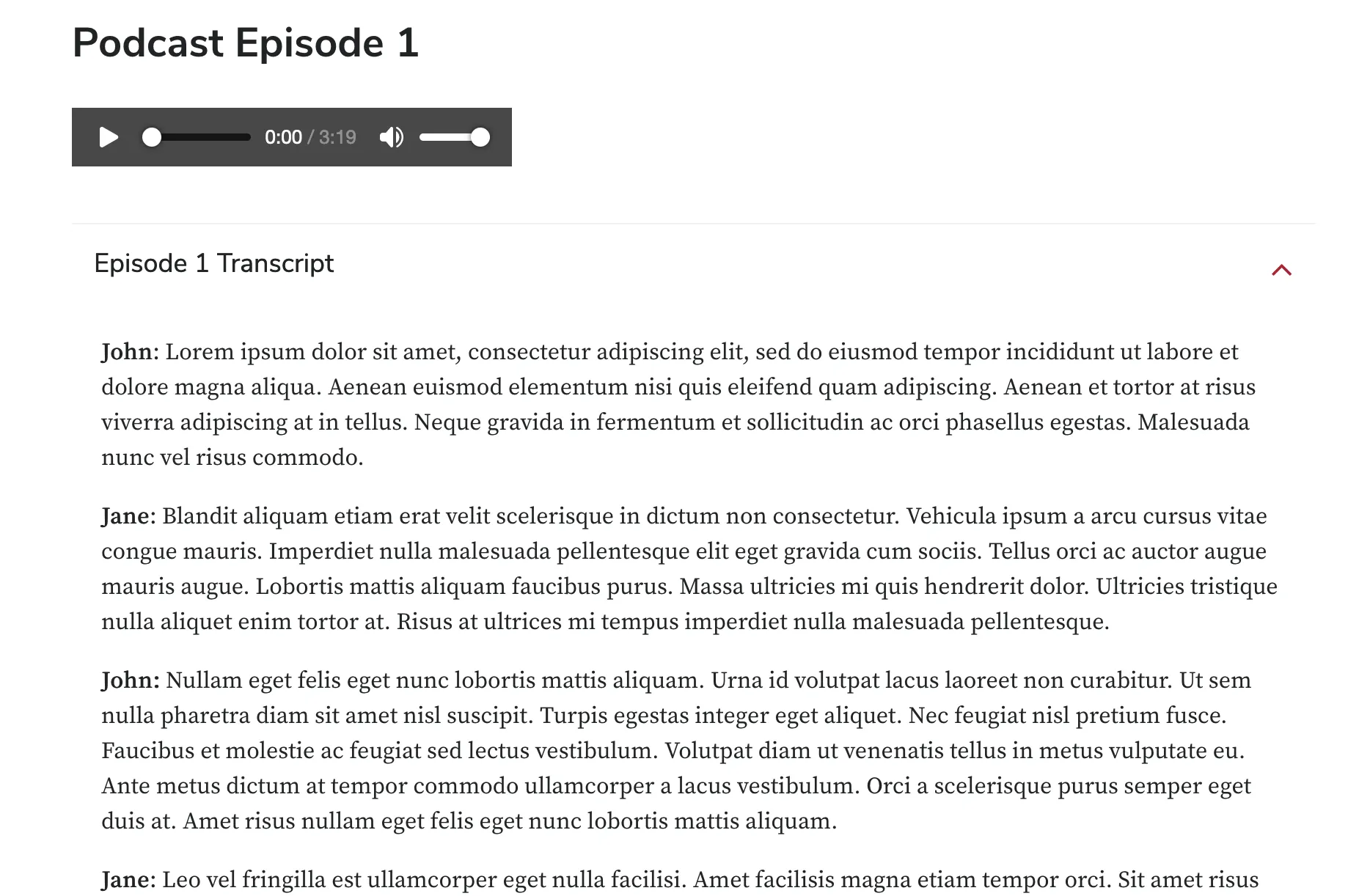
Method 1: Accordions
Add an accordion with the transcript text below the media.
Method 2: Embed the Transcript to Page
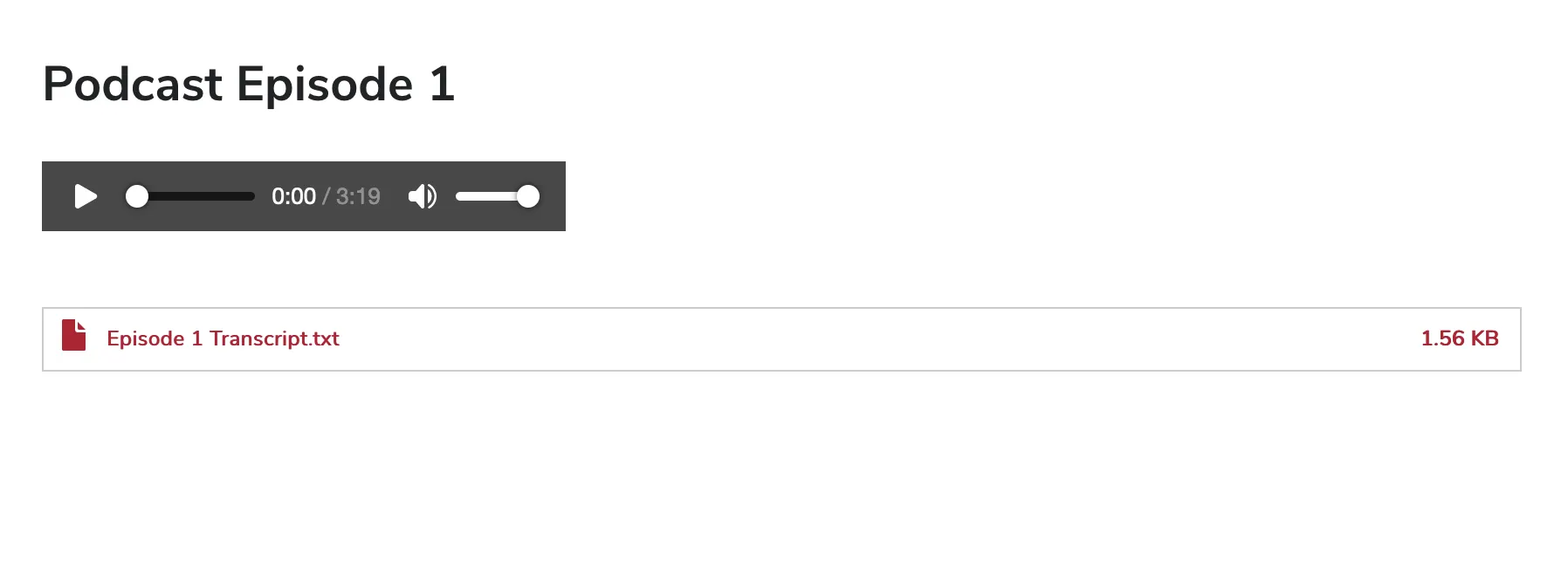
Attach a text file below the audio file.
- We recommend using file formats such as .txt, .docx, or .rtf for your transcript.
- .txt files have an advantage over other formats because it can open inside a user's browser.